
What LaunchGenius does
A tool for launches that other people take part in: collect posts from your team, customers, investors and partners, approve them, and publish them on a schedule.
How a launch runs
01
Plan
One moment, one schedule, everyone's posts on it.
02
Create
Write it once per platform and see it as it'll look.
03
Invite
A link per cohort, or one person by email with the kit.
04
Review
Approve, ask for changes, suggest. Never rewrite.
05
Schedule
In waves, rehearsed first, with nothing live.
06
Publish
Automatic where the API allows, ready to paste where it doesn't.
07
Measure
Who posted, what it did, read as a floor.
What’s in it
Seven pages. Each says what it does and what it refuses to do.
Coordinate a social launch
One launch moment, many voices, scheduled in waves.
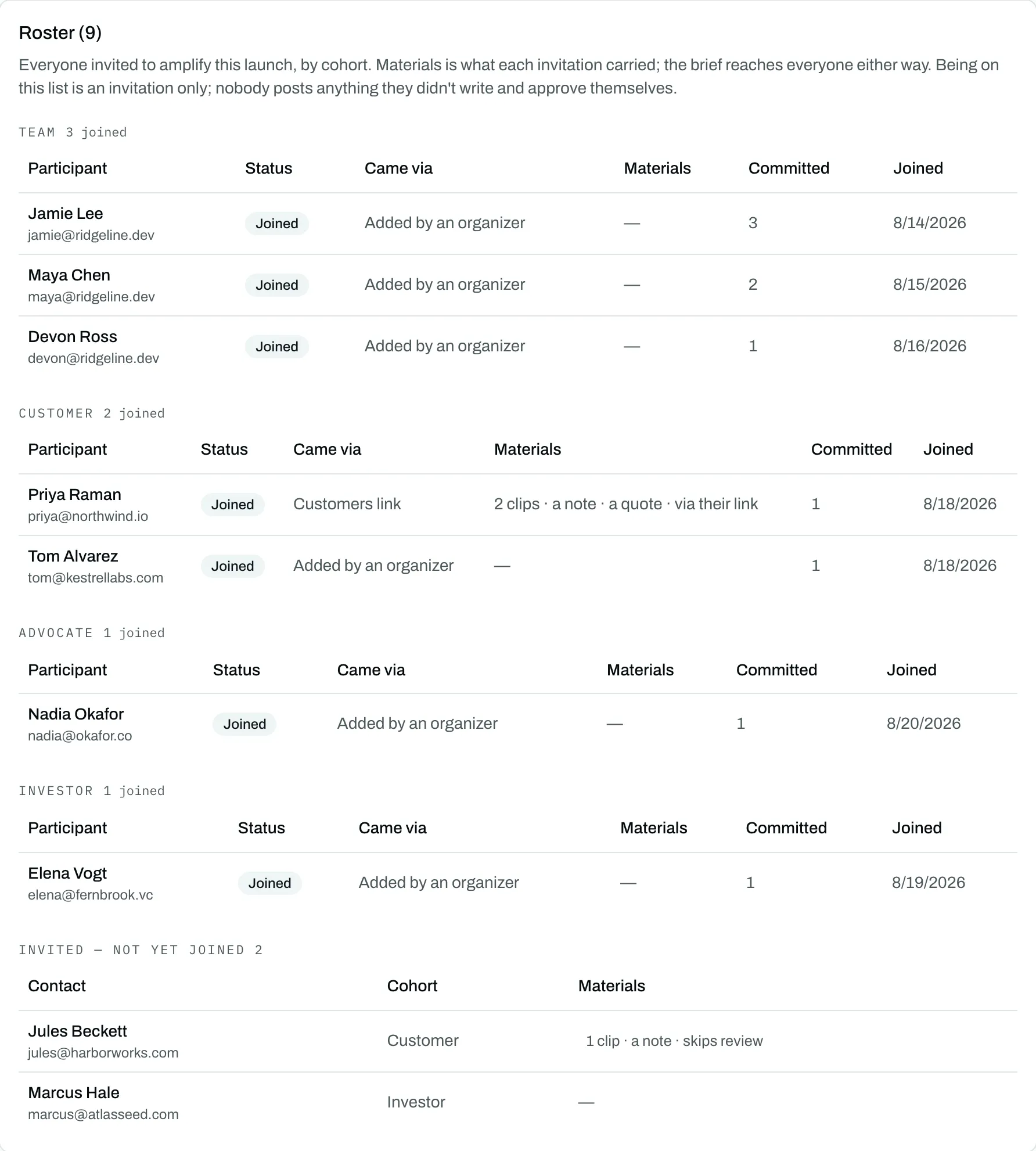
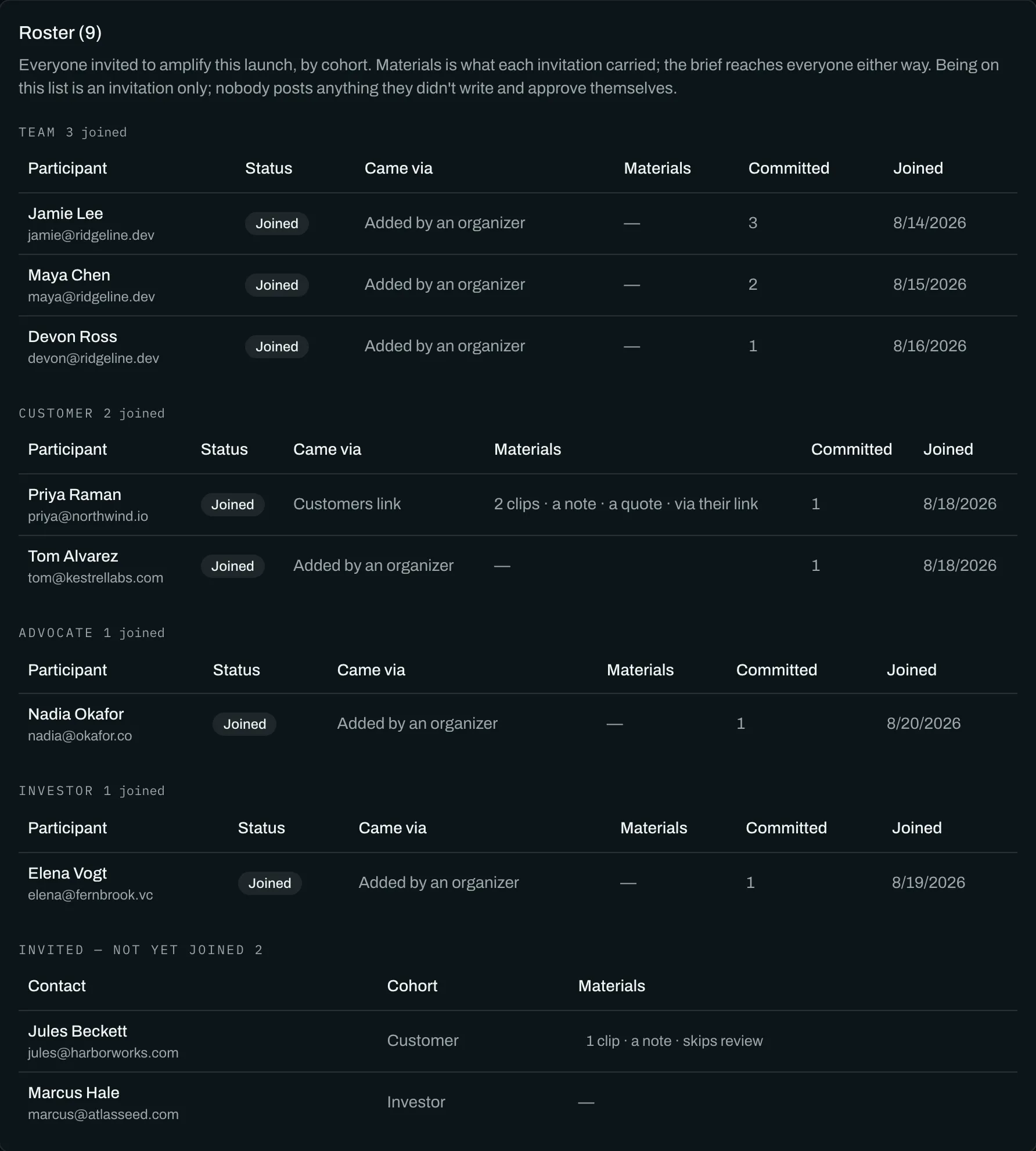
Invite your team, customers, investors and partners to post in their own words, approve them, and publish the whole set on a schedule you control.
Writing posts
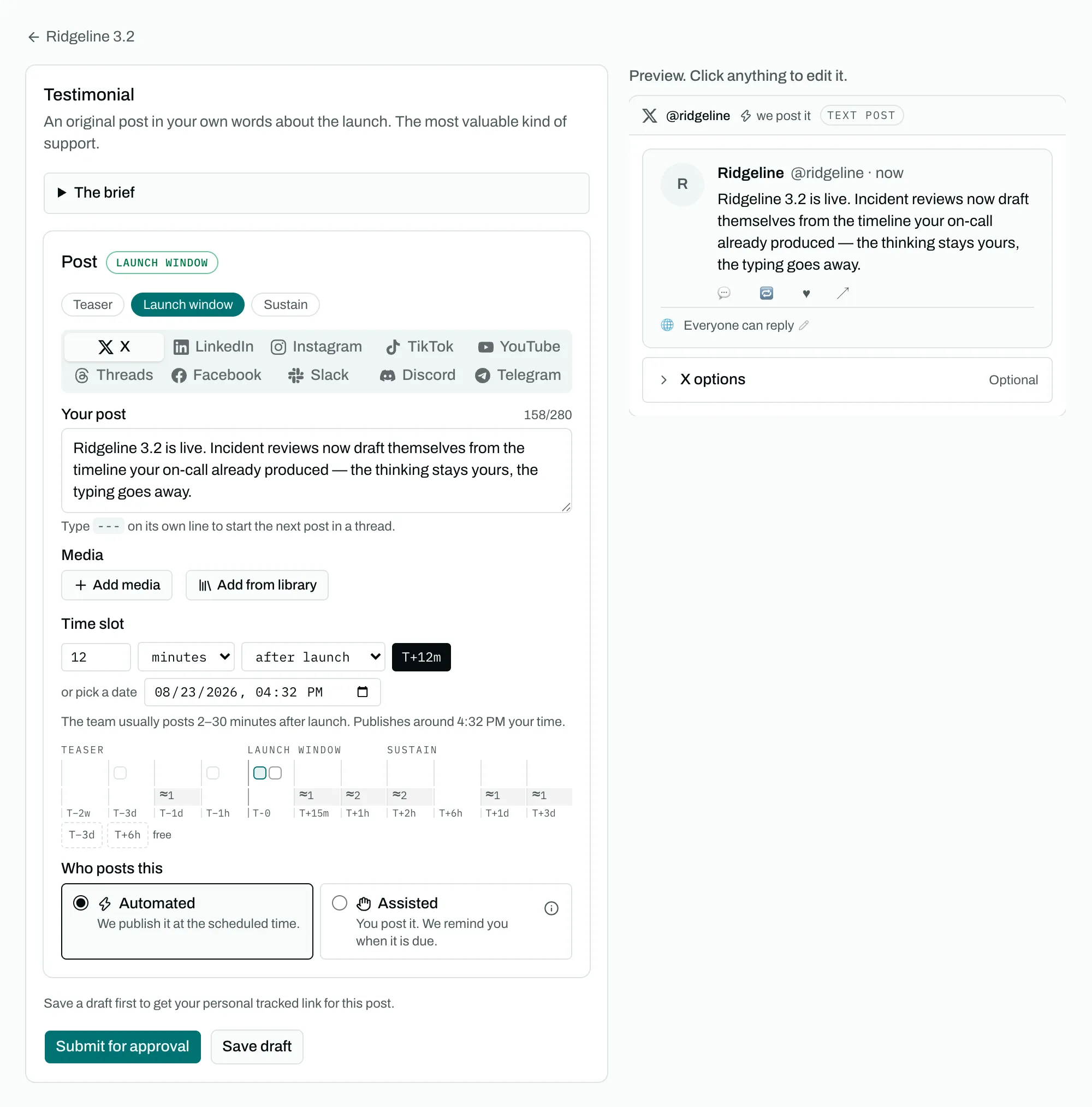
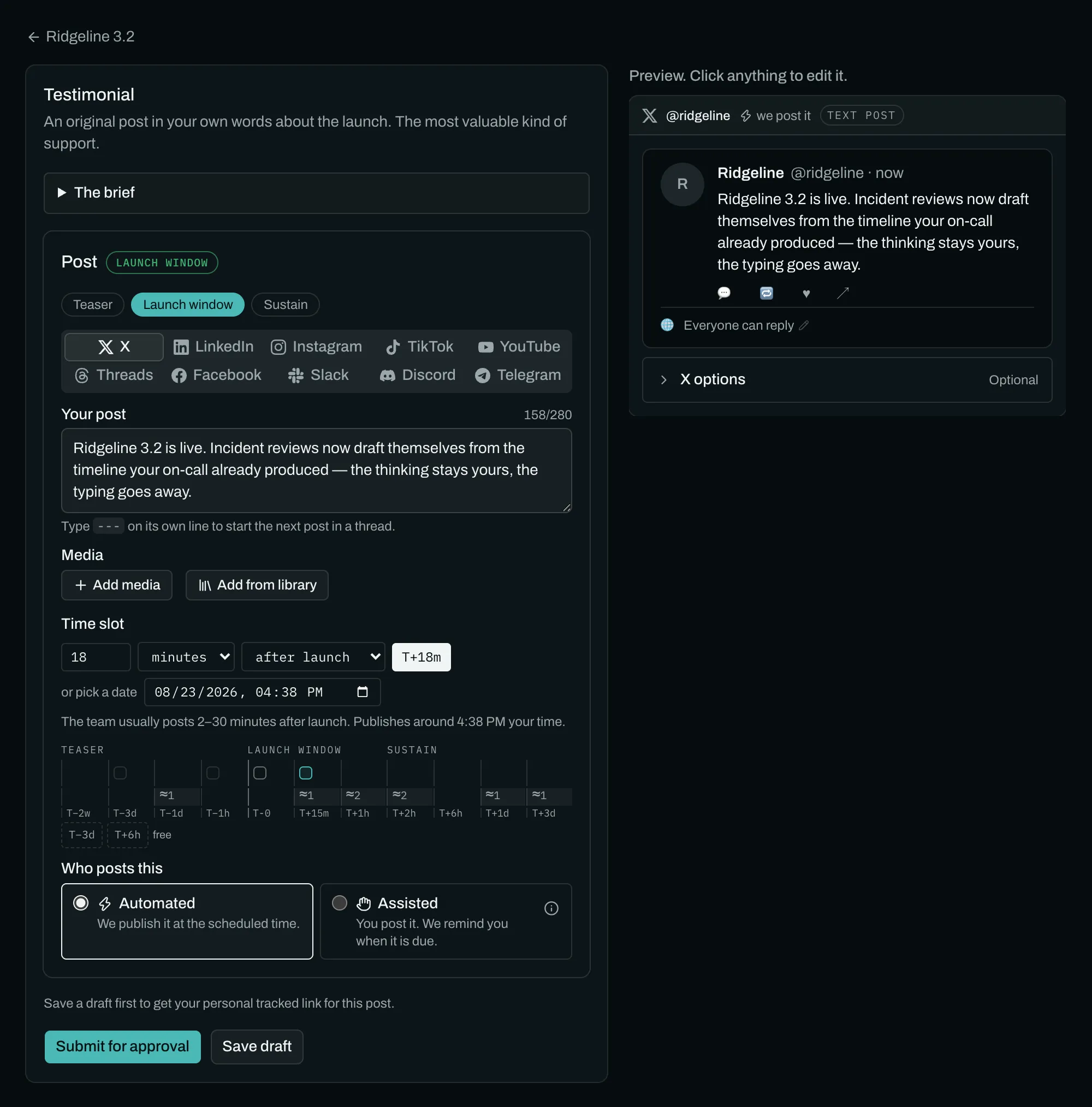
Write once per platform, see it as the platform will show it.
A composer that counts characters the way each platform counts them, shows the post as it will appear, and splits threads where you tell it to.
Review and approval
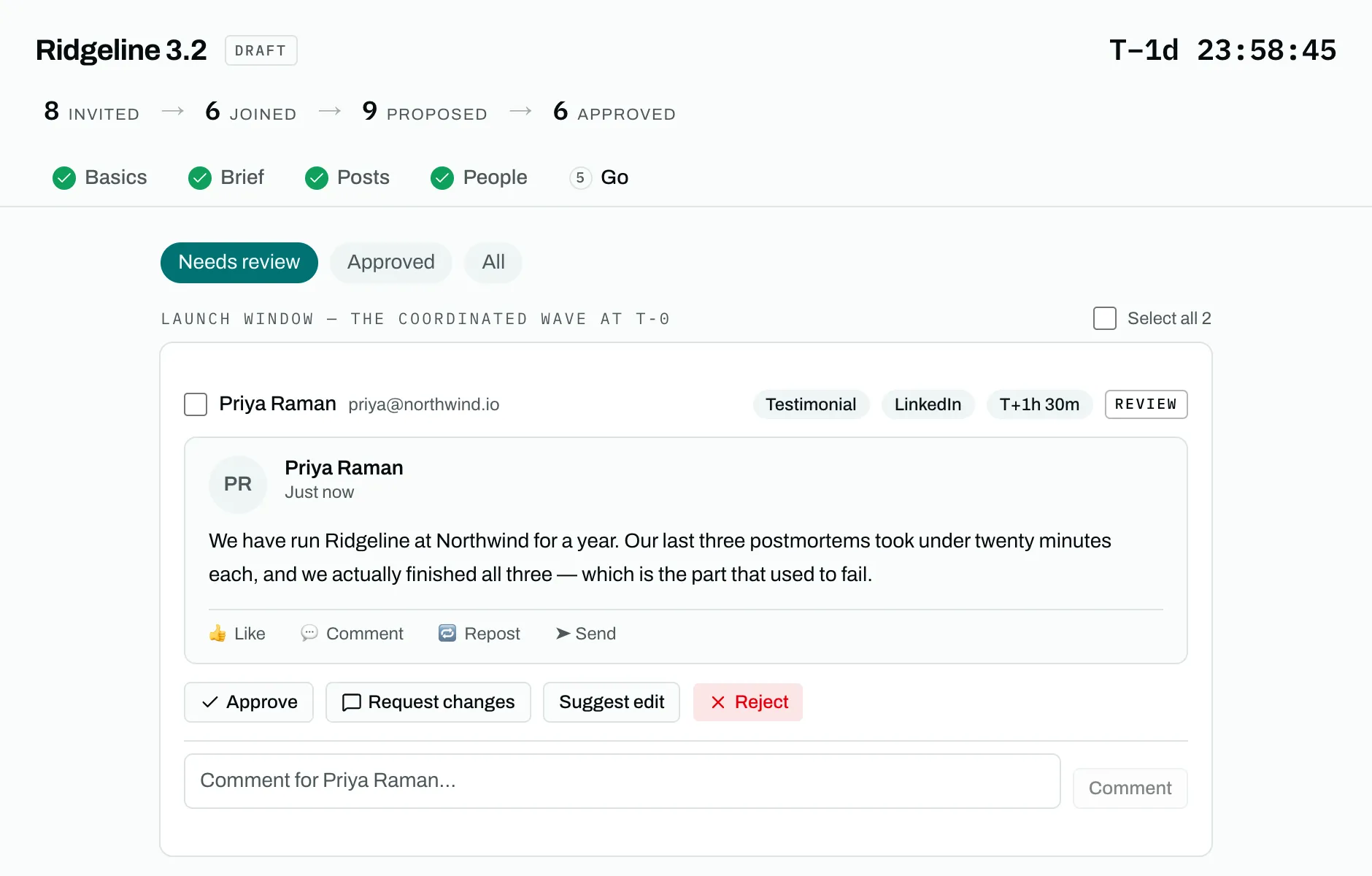
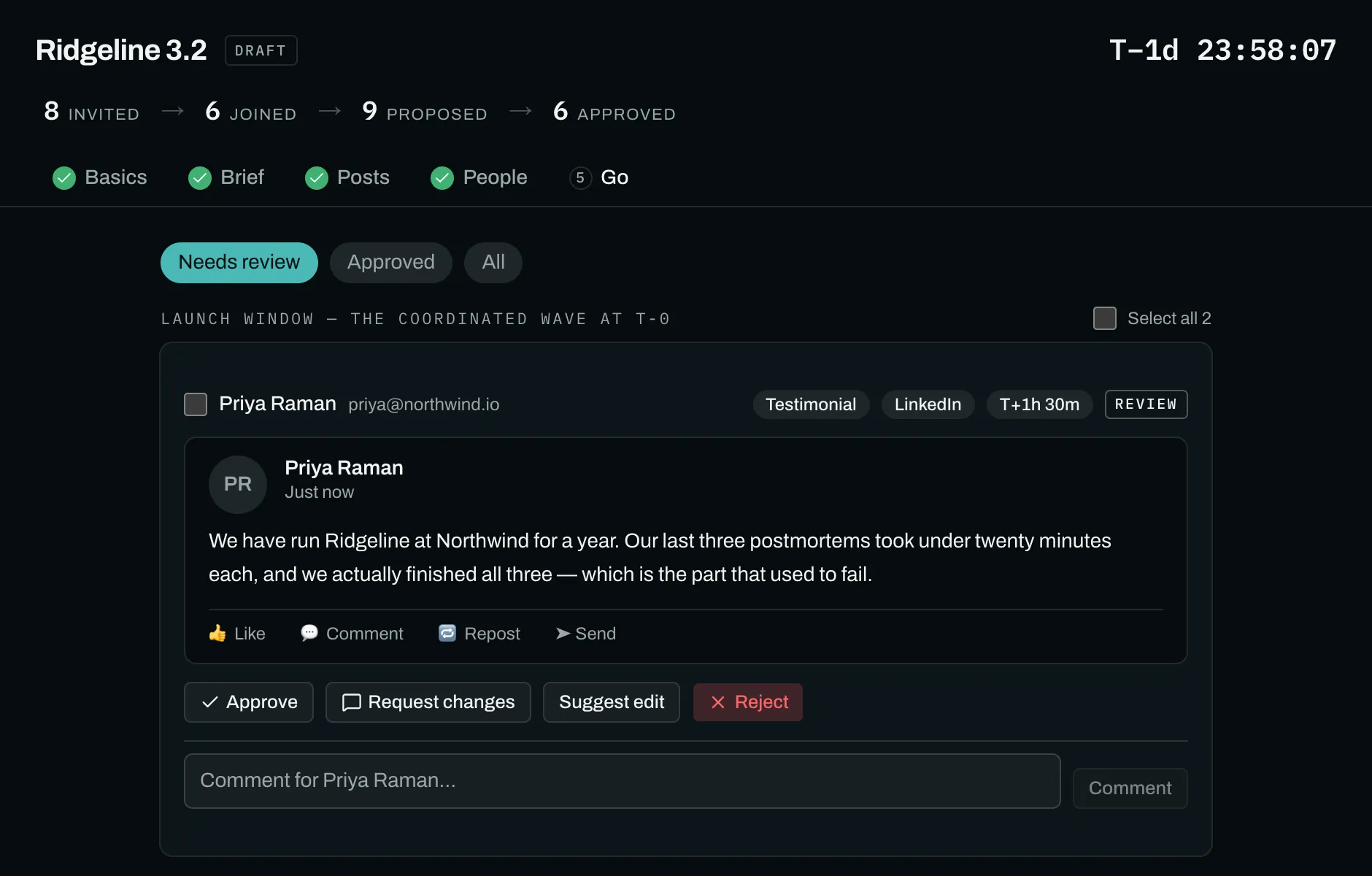
Approve every post. Suggest changes. Never rewrite them.
Every post is read and approved before it can publish, and organizers can suggest changes but never rewrite somebody else's words.
Launch day
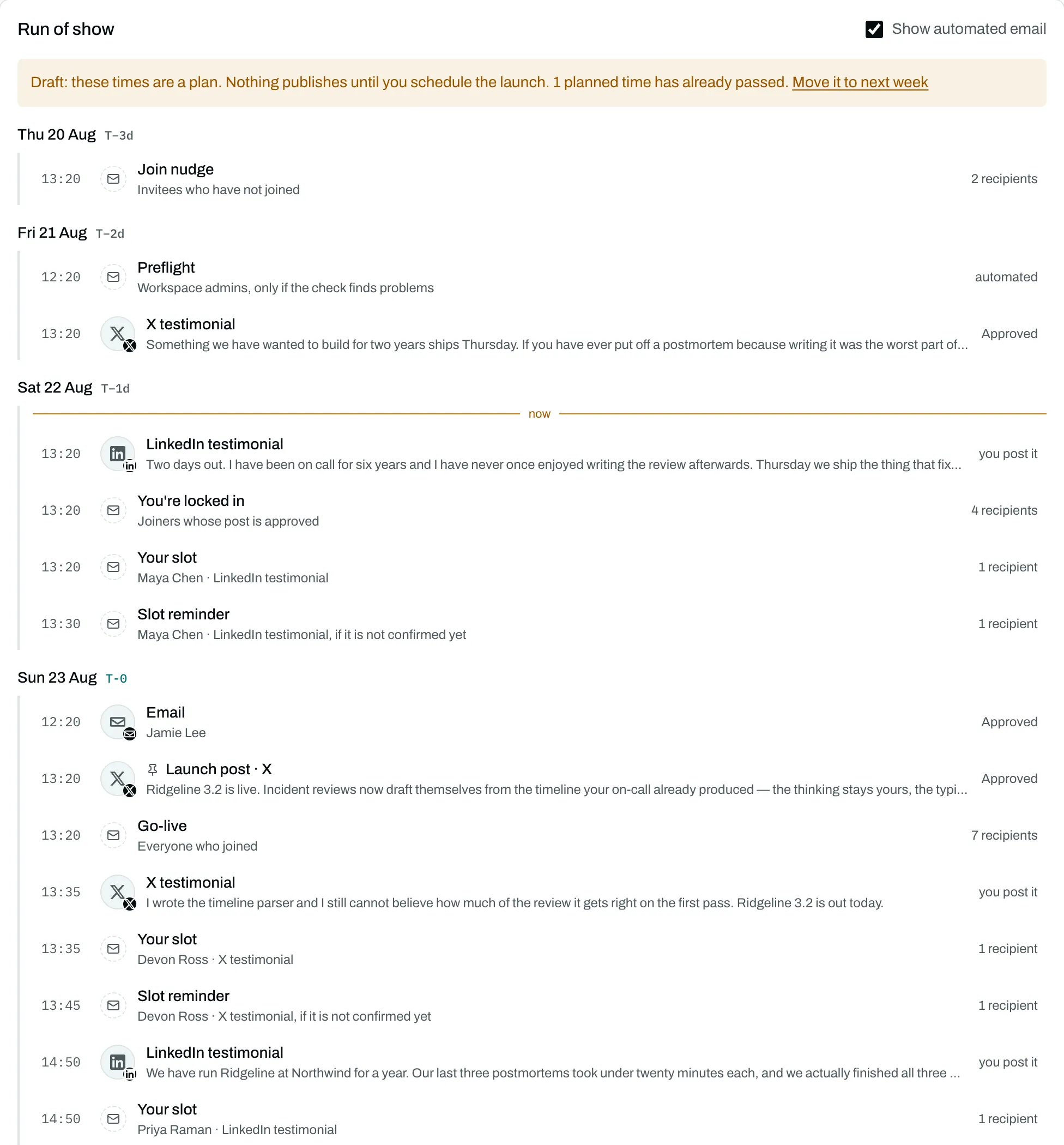
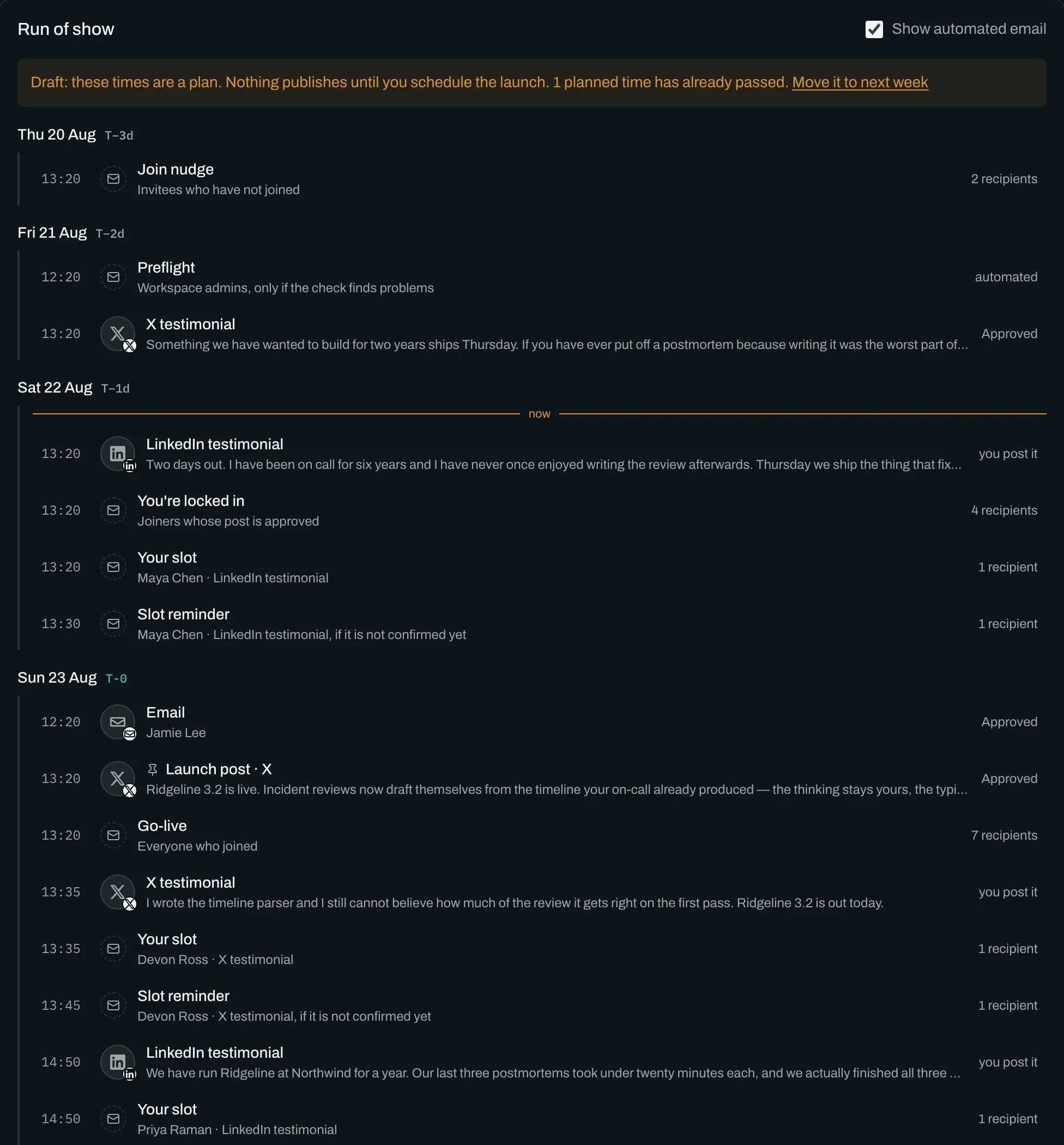
Watch every post go out, and see what needs you.
A live view of every post as it goes out, with a countdown, per-post status, and a triage list of anything that needs a person.
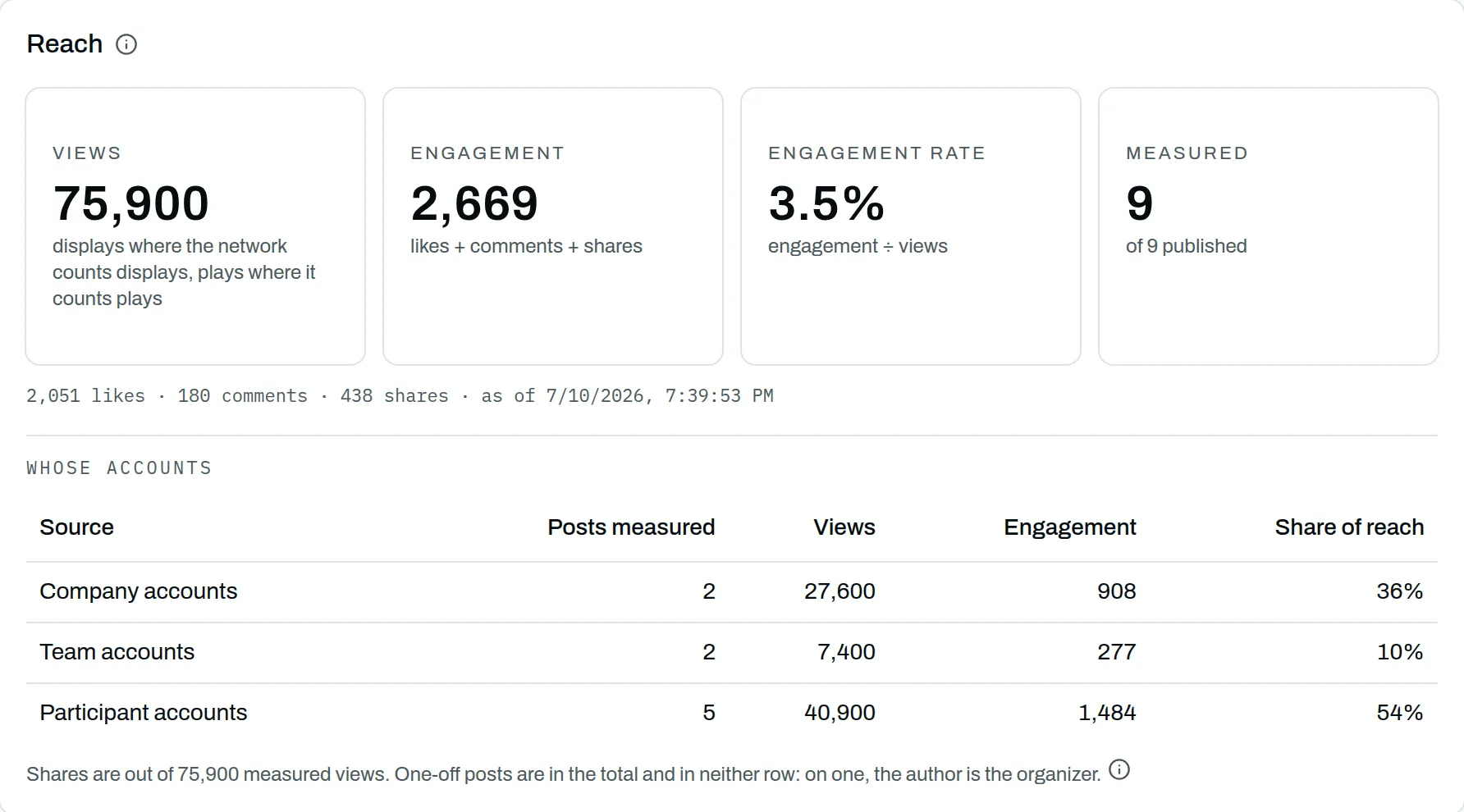
Numbers and reports
Honest numbers, and a report you can share.
What each post did, whose accounts carried the launch, and a report you can send to someone without an account.
Posting by hand, on time
The path for anything that cannot publish automatically.
When a platform cannot publish something automatically, or somebody has not connected an account, they get a message at the scheduled time with everything ready to paste.
Media library
Upload once, reuse across launches and participants.
A shelf of reusable images and video for your workspace, which participants can pull into their own posts.
Scheduling, the way you already expect it
The scheduler you were shopping for is in here. These are the parts any tool in the category has, and each one is a shipped capability, not a plan.
- Schedule posts in advance, from your own accounts and from the people you invite.
- A calendar of everything scheduled, with a new post from any day.
- Previews as each network renders them: the fold, the crop, the handle.
- Character counts the way each network counts: a link on X is 23, and YouTube counts bytes.
- Threads: split a post on a line of three dashes and the parts publish in sequence.
- Different words per platform for the same post.
- A reply queued under a post that waits for the post's id, then publishes itself.
- Publish now, at a moment, or in a cohort's wave.
- A Media Library: upload once, and alt text travels with the file.
- A company account any member can post from, inside your launches.
- Numbers on every post you publish, not only launch posts.
- Drafts unlimited and free. Scheduling a launch is the only paid step.
11 networks: X · LinkedIn · Instagram · TikTok · YouTube · Threads · Facebook · Slack · Discord · Telegram · Bluesky, plus email from your own address. The per-network split is on Integrations.
Who it’s for
Product teams
Employees, investors, customers and partners, each with an ask and a window, on launch day.
Podcast hosts and agencies
Every episode is a launch with one outside participant. One link per guest, the clip attached.
Authors and publishers
Advance readers, blurbers, the bookstore and the author's network, on publication day.
Events and shows
Speakers, attendees and partners, posting around doors rather than the week after.
Anything with a date and a crowd
An album, a drop, a store opening. The cast changes; the coordination does not.
Free to build with, up to 10 people on a launch. Scheduling it is the paid step, and the only one.
Why other people's posts, not more of yours
Scheduling your own posts is a solved problem. Getting twenty other people to post about your launch, at sensible times, in their own words, without a spreadsheet and forty reminder messages, is not. That is what this product is for. If the words on this page are unfamiliar, the concepts page defines them first.
Four reasons, each one you can check against your own behaviour.
A customer's word counts for more than yours. You can say anything you want about your own launch. Nobody expects otherwise. A customer doesn't have to say anything, and when they do, people notice.
They reach people you never will. Post it yourself and you reach the people who already follow you. Same audience every time. Ask your customers and investors to post too, and you reach their networks as well: people you'd never otherwise get in front of.
You know who's posting before launch day, not after. Chase people by DM and you find out who posted on launch day itself, when it's too late to fix anything. Here you see it days ahead: who's joined, what they wrote, when it's going out.
It takes a minute to say yes, so more people do. There's no account to create and no password to send. Someone writes their post, picks a time, and they're done. Nobody gets a text asking if they remembered.
Compared with what you might be using
Everything you'd expect from a scheduler, plus everything a launch needs that no scheduler has: other people's accounts, their own words, and a plan for the day. Every cell is checkable against reality.
| Schedulers | Advocacy tools | LaunchGenius | |
|---|---|---|---|
| Schedule posts in advance | Yes | Yes | Yes |
| Preview posts as they'll appear | Yes | Yes | Yes |
| Review and approve before anything goes live | Yes | Yes | Yes |
| Per-post analytics after publishing | Yes | Yes | Yes |
| Publish from your company accounts | Yes | No | Yes |
| Publish from employees' accounts | No | Yes | Yes |
| Publish from customers', investors' and creators' accounts | No | No | Yes |
| Everyone writes their own post | No | Reshared feeds | Yes |
| Invite people outside your company with a link | No | No | Yes |
| Automatic reminders until everyone has posted | No | Yes | Yes |
| Launch-day waves timed by cohort | No | No | Yes |
| A live launch timeline everyone on the launch can watch | No | No | Yes |
| See how much reach came from outside your own accounts | No | Employees only | Yes |