
Launch day
A live view of every post as it goes out, with a countdown, per-post status, and a triage list of anything that needs a person.
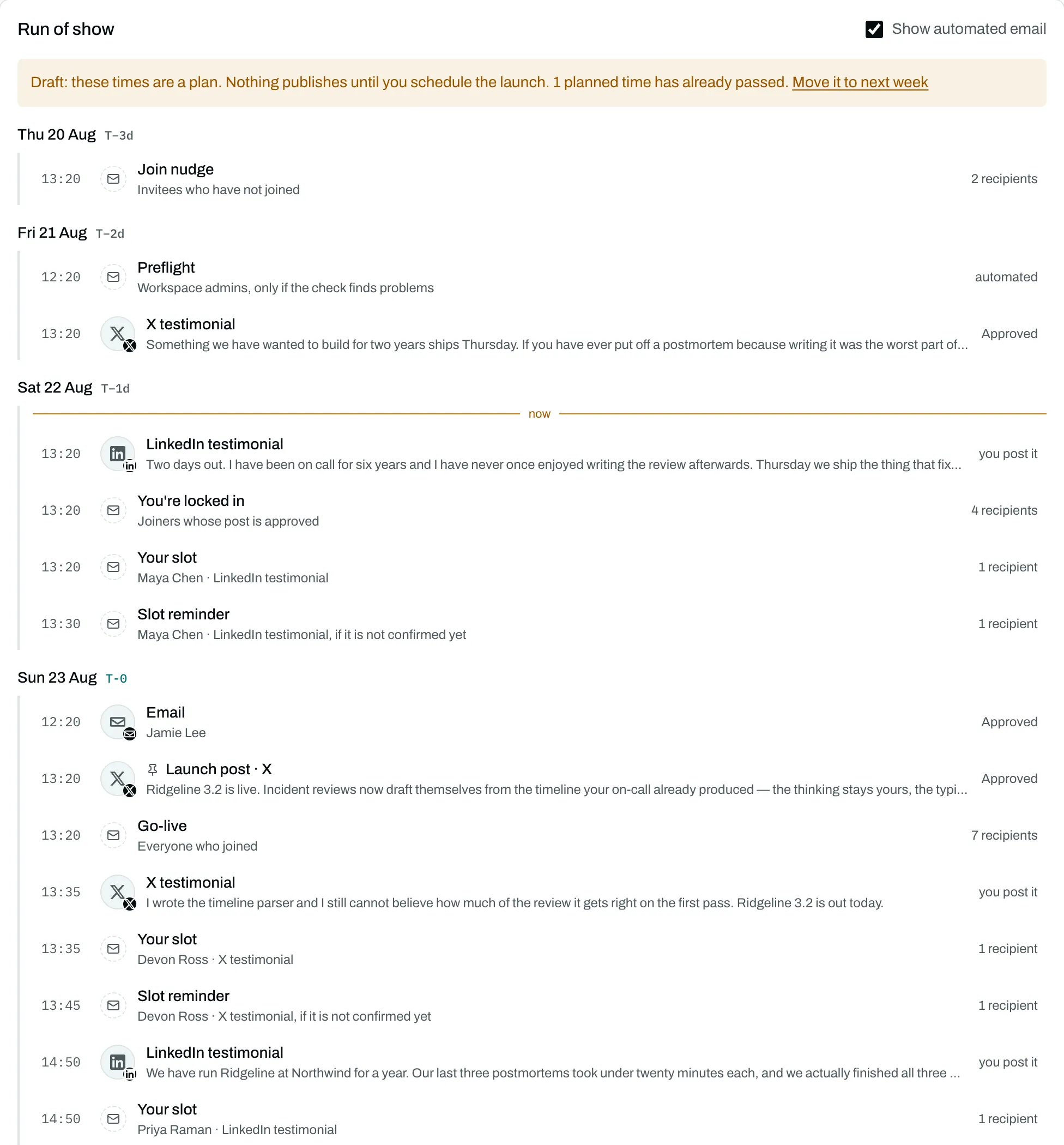
When the launch moment arrives, which everything on a launch is timed against and which the product calls T-0, you get one screen: a countdown, a running count of what has published, and every post in the order it is due.
The announcement goes first
The launch announcement publishes before anything attached to it. Replies, comments and reposts need its id on the platform before they can be addressed to anything, so they resolve against it once it lands.
If the announcement fails, everything attached to it is held rather than sent somewhere wrong. The screen says so, and says which platform.
Every post has a state you can read
Posts move from approved to scheduled, then publish. The screen shows each one as it goes, with the time it was due and the time it actually went out. A post that needs a person is pulled to the top rather than left in the list.
Failures are triaged, not retried blindly
When something goes wrong, what matters is whether anything became public. LaunchGenius sorts every failure into one of three kinds:
- Nothing happened. Safe to try again, and it does.
- Something may be live. It is never retried automatically. Retrying a post that already published is how a launch posts twice, and a duplicate on a customer's timeline is worse than a gap. It waits for a person to check.
- It will never work. The post is marked failed with the reason.
That middle case is why there is a triage list at all. A tool that retries everything looks tidier and occasionally double-posts.
Nothing publishes twice
Before any post goes out, its state is claimed in a single step that only one attempt can win. A second attempt finds the claim already taken and stops. This holds across restarts and retries.
Share the view
You can share the live view with everyone on the launch: the people in your workspace, and the people who joined it. They sign in to open it, so a link that travels outside the launch does not work for whoever receives it. The shared version shows what published and when. It does not show failures or anything skipped: a shared page is not the place to work through a problem.
For a reader with no account, send the launch report instead. It is a separate link with its own switch, and turning one on never turns on the other. See numbers and reports.
Unscheduling, cancelling, deleting
Unscheduling takes every post that hasn't gone out off the schedule with its approval kept, and the date is yours to move. Schedule it again and every post moves with it, keeping its distance from the launch time. Cancelling ends the launch. Deleting removes it, and is refused while the launch is scheduled.
Rehearsal
Turn Rehearsal on under Basics when you want a practice run. The whole sequence runs, the states move, the reports fill in, and nothing reaches a platform. New launches start live; arming is still the step that can publish.
Last updated 2026-08-21